Salesforce stores the information that keeps your business moving: customer records, opportunities, contracts, quotes, and more. But what about the documents connected to those records?
Many organizations still rely on scattered folders, email attachments, or disconnected file-sharing platforms to manage critical documents. As businesses grow, this creates a set of challenges: duplicate files, outdated versions, inconsistent folder structures, and teams wasting time searching for the right document.
Effective document management isn’t just about storage. It’s about making documents accessible, organized, and connected to the customer data your teams already use every day.
That’s where PDF Butler’s Document Management & Collaboration feature comes in.
Keep Documents Where They Belong
Most companies already use platforms like SharePoint or Google Drive to store documents. The problem isn’t the storage platform, it’s the disconnect between those systems and Salesforce.
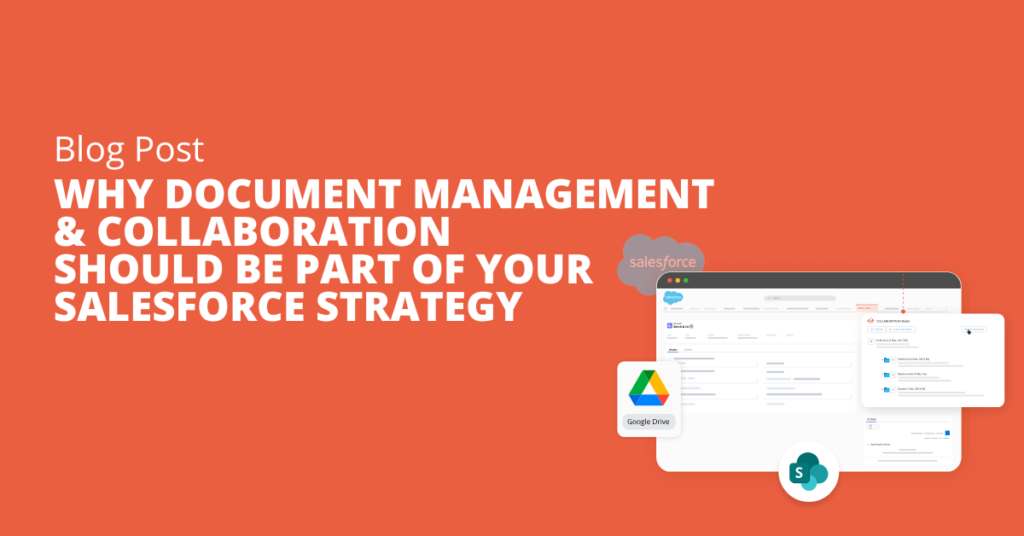
Instead of forcing users to switch between applications, PDF Butler connects Salesforce records directly with your existing document repository. Whether you’re working on an Account, Opportunity, Case, or any custom object, the right documents are always just a click away.
This means your teams can continue using the storage solution they trust while working entirely within Salesforce.
One Customer, One Complete View
Customer information shouldn’t be spread across multiple systems.
With Document Management & Collaboration, documents remain linked to the appropriate Salesforce records, creating a complete 360° customer view. Instead of searching through multiple folders or asking colleagues for the latest version, sales, service, and operations teams can instantly access the documents they need.
Whether it’s:
- Contracts
- Quotes
- Invoices
- Technical documentation
- Project files
- Customer correspondence
everything stays connected to the customer record.
Collaborate Without Losing Control
Collaboration often introduces another problem: version confusion.
When multiple people edit documents across different systems, it’s easy to lose track of the latest file. Teams end up working from outdated documents or creating duplicate versions that lead to costly mistakes.
PDF Butler keeps documents linked to Salesforce while leveraging SharePoint or Google Drive for collaboration. Everyone works from the same source, reducing version conflicts and making collaboration much smoother.
The result is a more connected workflow where teams stay aligned without changing the way they already work.
Edit Documents Without Leaving Salesforce
Switching between applications may seem like a small inconvenience, but it quickly adds up throughout the day.
With PDF Butler, users can preview and edit documents directly from Salesforce, eliminating unnecessary context switching. This helps employees stay focused while reducing the time spent navigating between systems.
- Less clicking.
- Less searching.
- More productivity.
Stay Organized as Your Business Grows
Different teams create different folder hierarchies, documents get stored in multiple locations, and important information becomes harder to locate.
PDF Butler helps establish a clear, standardized document structure across Salesforce records, making documents easier to organize, locate, and manage as your business expands.
Instead of creating document chaos, your organization maintains consistency across departments.
Scale Without Salesforce Storage Limits
As your business grows, so does the number of documents you need to manage. Storing every file directly in Salesforce can quickly consume your available storage, leading to additional costs and administrative overhead.
With PDF Butler’s Document Management & Collaboration feature, documents remain securely stored in SharePoint or Google Drive while staying fully connected to the relevant Salesforce records. Your teams still access everything from Salesforce, but your files don’t count against your Salesforce storage limits.
This gives you the flexibility to scale your document management strategy without worrying about storage constraints or sacrificing user experience.
Simplify Security and Permissions
Managing document permissions inside Salesforce can become complex, especially for organizations with multiple departments or external collaborators.
By using SharePoint or Google Drive as the document repository, organizations can take advantage of their existing permission models while keeping documents connected to Salesforce.
This gives administrators greater control over document access without introducing additional complexity.
A Better Way to Manage Documents in Salesforce
Document management shouldn’t slow your teams down.
By connecting Salesforce with SharePoint or Google Drive, PDF Butler creates a unified document experience where files stay organized, collaboration becomes simpler, and every document remains connected to the customer record that matters.
Instead of switching between systems, searching for files, or wondering which version is current, your teams can focus on delivering better customer experiences.
With PDF Butler’s Document Management & Collaboration feature, your documents stay aligned, your teams stay connected, and your Salesforce environment becomes a single source of truth for both customer data and the documents that support it.