
Evrotrust
Country coverage: Please consult the official list here: List of supported countries | Evrotrust
Evrotrust is just Qualified in the European Union and the UK. In the rest of the world, it is an Advanced Signing Method.
Prerequisites:
- Have a contract signed to allow Evrotrust
- Purchase an Evrotrust license (Contact your Account Executive)
- Have the Evrotrust license enabled by the support team
- Every signer must register on the Evrotrust app before signing the document.
Setup:
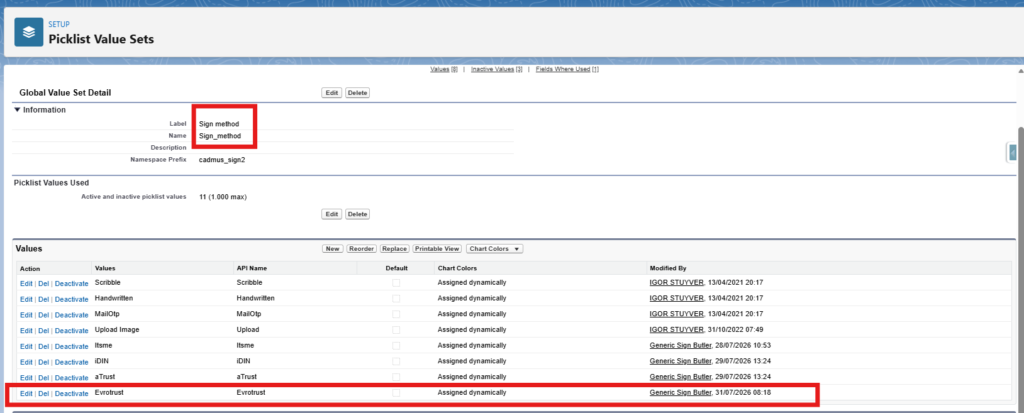
- On the “Sign method” Global Value Set, have the option “Evrotrust” activated
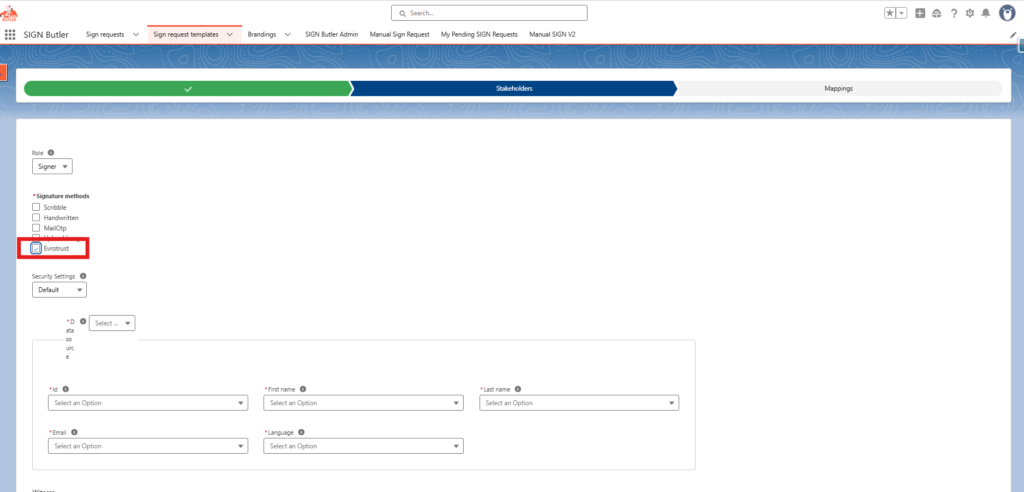
- Create a SIGN Request Template with a signer that uses Sign method “Evrotrust”
Signer Perspective:
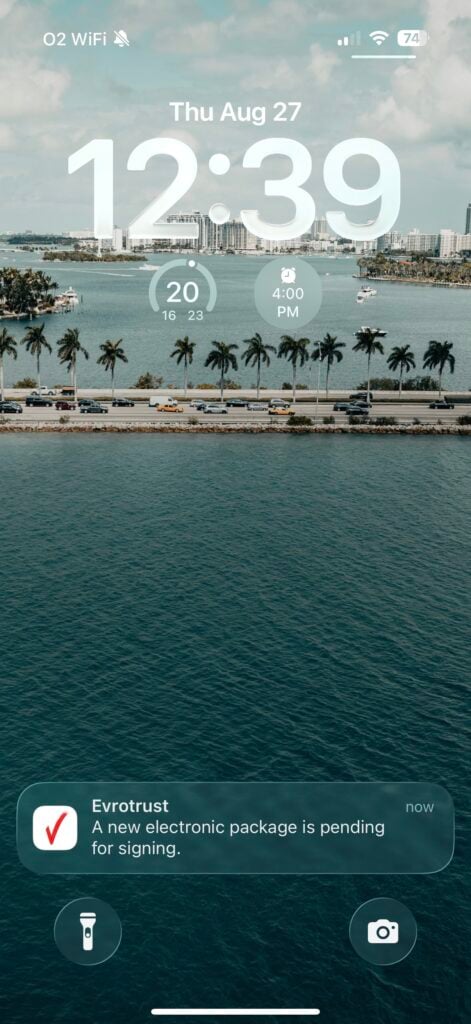
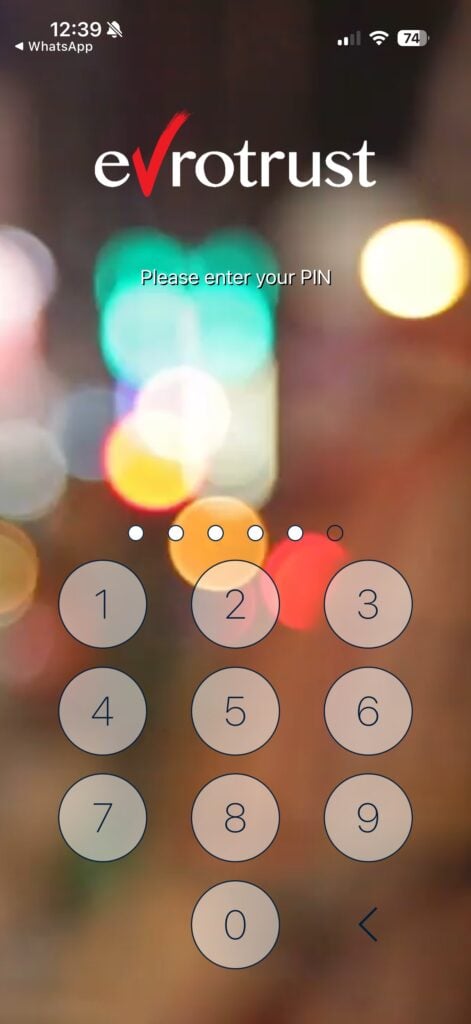
| Step 01: The user will receive a notification after typing his phone number | Step 02: The user will sign in with his PIN code |
 |
 |
| Step 03: The user will tap on the pending document | Step 04: The user will check the details of the file by tapping on the green icon |
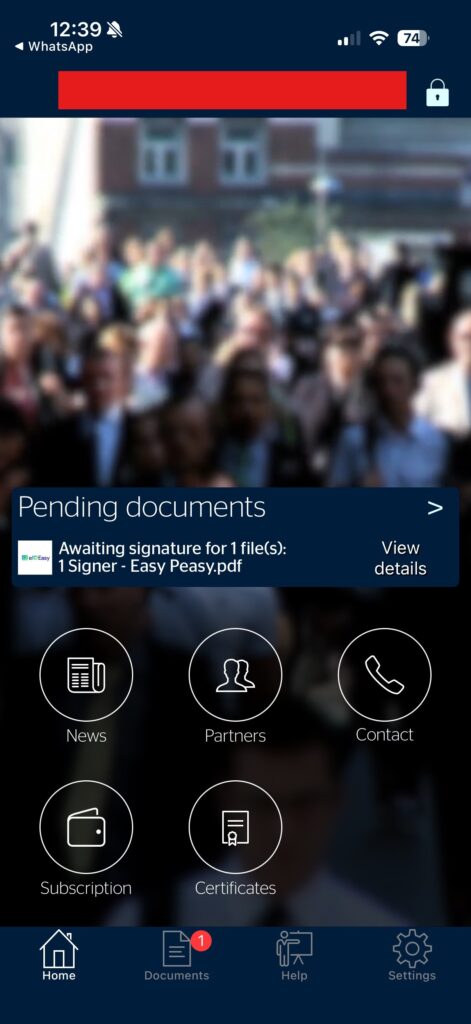 |
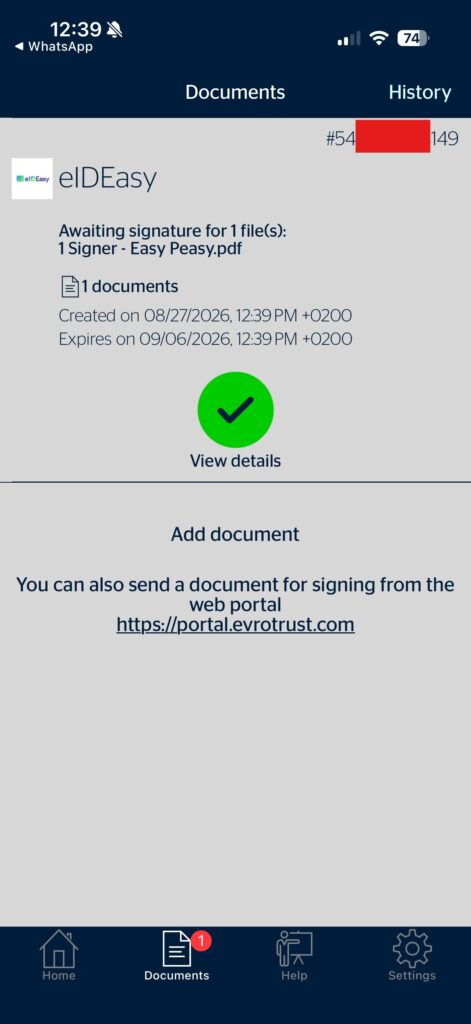 |
| Step 05: The User will sign or decline the document | Step 06: The user will enter his PIN code |
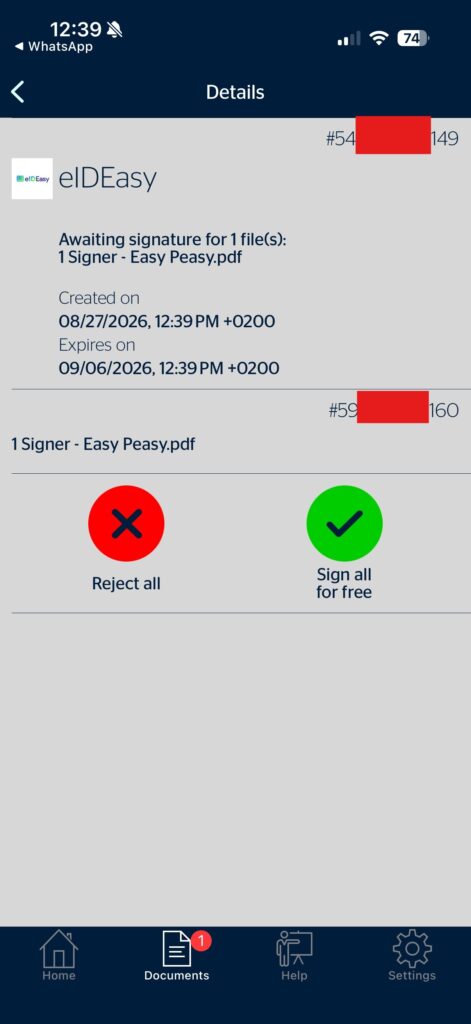 |
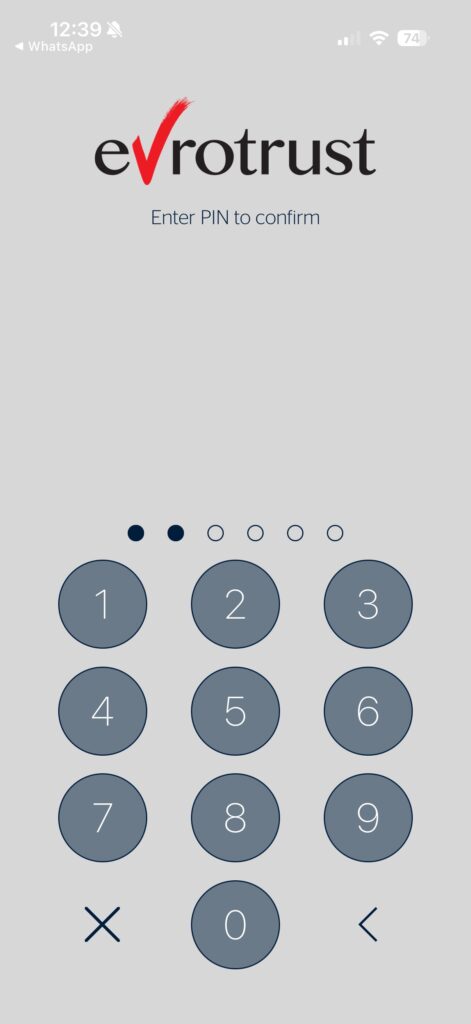 |
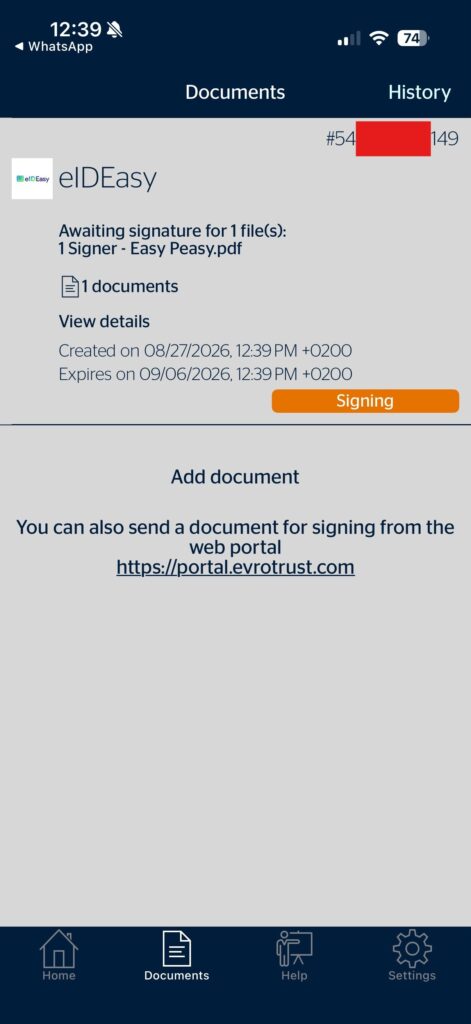
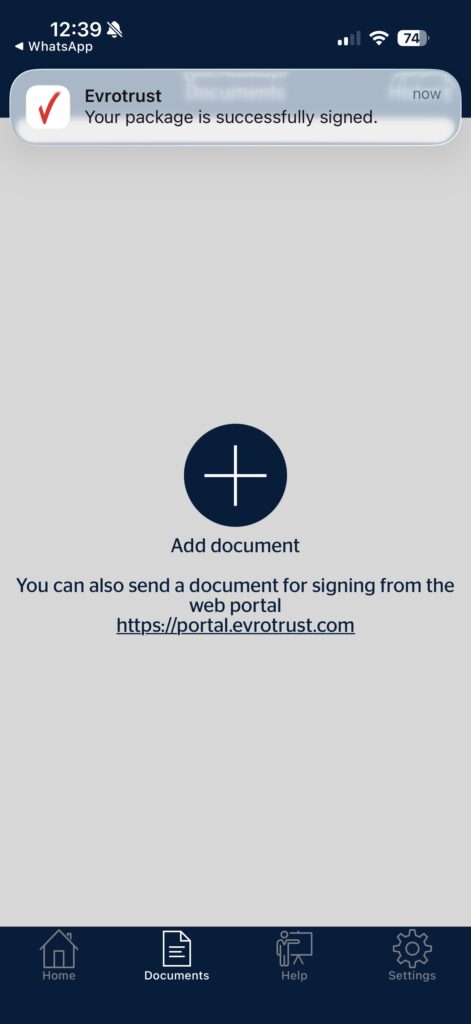
| Step 07: The User will see the progress of the signing in real time | Step 08: The User will receive a successful notification, and it will be redirected to the signing page on the computer |
 |
 |
Use Cases and Limitations:
- When we use Evrotrust, it supports only a single placeholder (Per Signer).
Important: When using a Qualified Electronic Signature (QES) provider such as Evrotrust, A-Trust, or itsme in a Sign Request Template (SRT), make sure the corresponding QES option is explicitly enabled in the template. If the required provider is not enabled, the electronic certificates may overwrite one another during the signing process, resulting in incorrect certificate handling. Always verify that the appropriate QES provider is enabled before sending the Sign Request.
Other QES methods to be added soon. Contact your Account Manager for more information


