When a document needs to be signed in parallel, follow these steps, which for now needs to be done manually:
- Add the field “Signature Suborder” field to the Stakeholder layout.
Go to Object Manager -> Stakeholder and update the page layout “Stakeholder Layout” adding the field “Signature Suborder” - Once the fields Signature Suborder and Signature Order are in the layout, you need to do the following:
– Set the same Order for the signers who are going to be signing in parallel
– Set the Suborder just for the signers who are going to be singing in parallel, for example if you have 2 signers, the suborder should be 1 for first signer and 2 for the second signer
For instance, in the following Sign request template example record we have two stakeholders to sign a document in parallel.

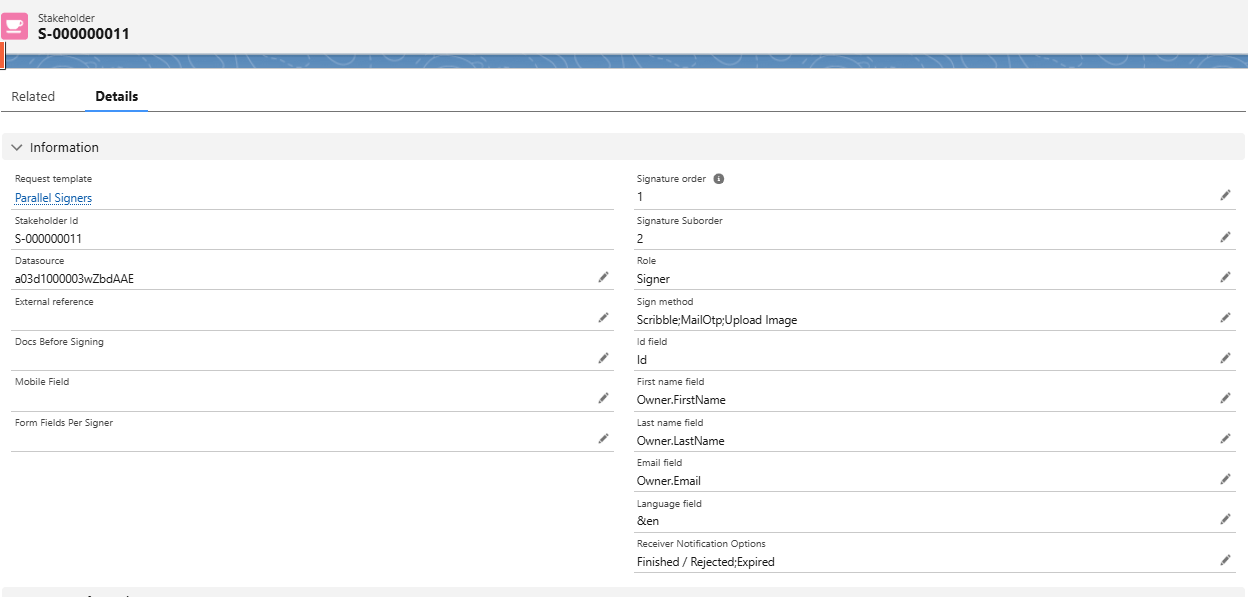
To achieve the parallel signing we will go to each stakeholder and will update the field “Signature Order” with 1 and then the Signature Suborder with 1, for one signer and 2 for the other signer
Stakeholder 1
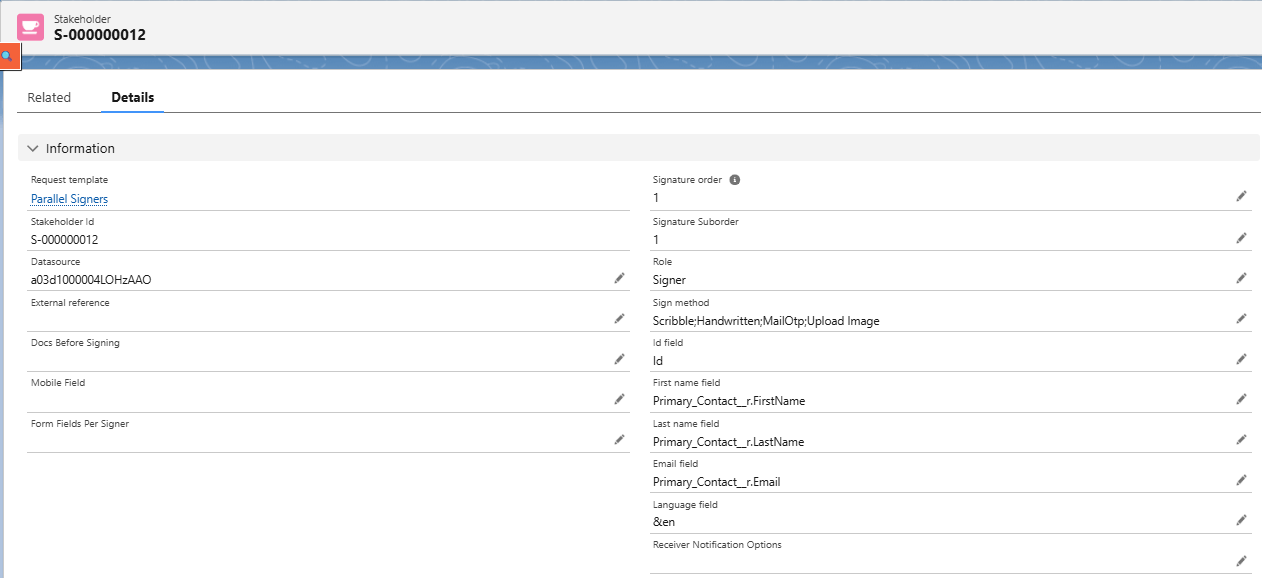
Stakeholder 2