
A-Trust Prerequisites:
- Have a contract signed to allow A-Trust
- Have the A-Trust license enabled by the support team
- Every signer must register on the A-Trust app before signing the document.
Setup:
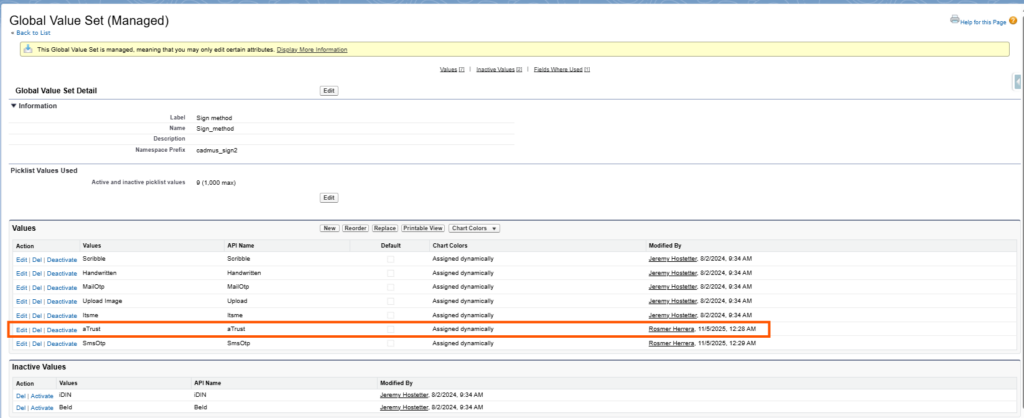
- On the “Sign method” Global Value Set, have the option “Itsme” activated

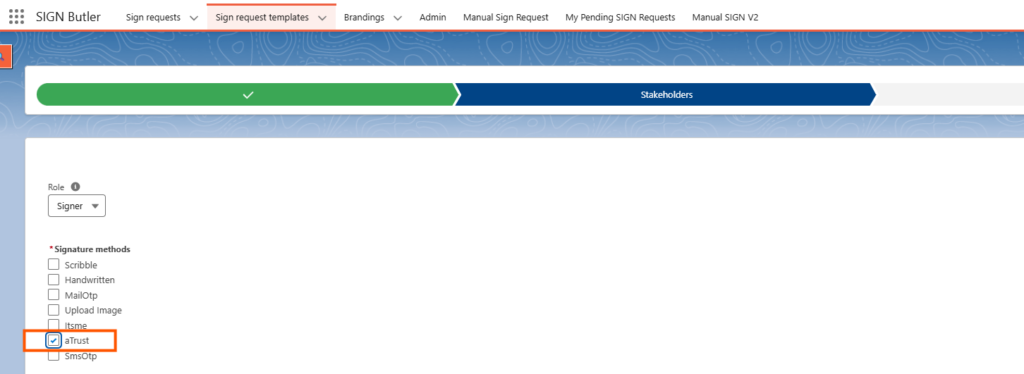
- Create a SIGN Request Template with a signer that uses Sign method “aTrust”

Use Cases and Limitations:
- When we use A-Trust, it supports only a single placeholder (Per Signer) in the document.
- A-Trust is supported for a single document. If you have several documents, please merge the content before to send it for signing.
- A-Trust is supported when it is enabled and there aren’t form fields.
- When A-Trust is enabled, initials are NOT supported.
Other QES methods to be added soon check our Release Notes here. Contact your Account Manager for more information


