
Clause Rules allow you to automatically select the correct clause from your Clause Library during agreement creation. Instead of maintaining multiple agreement templates, you can use a single template and let Contract Butler determine which clause should be inserted based on Salesforce record data.
Rules are evaluated from top to bottom. The first matching rule is applied. If none of the conditions match, the default result is used.
Example Scenario #
In this example, an agreement template contains a placeholder for Payment Terms and Invoice Settlement.
During agreement creation, Contract Butler automatically replaces this placeholder with the appropriate clause from the Clause Library based on Opportunity and Account data.
The Clause Library contains three versions of the payment terms clause:
Standard Payment Terms and Invoice Settlement – Used for regular opportunities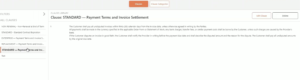
Replacement Payment Terms and Invoice Settlement – Used for existing customers upgrading their services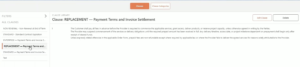
Enterprise Payment Terms and Invoice Settlement – Used for large enterprise opportunities
A Clause Rule determines which version should be inserted into the agreement.
Prerequisites #
Before creating a Clause Rule, make sure you have:
- A Contract Butler Agreement Template.
- Clause Library records for every clause variation.
For this example, the rule uses:
Opportunity fields
- Type
- Amount
Related Account fields
- Industry
- Annual Revenue
Setting Up #
Prepare the Agreement Template #
- Open your Agreement Template.
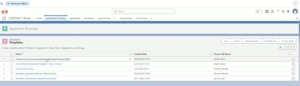
- Locate the placeholder clause that should be selected dynamically.
- Instead of assigning a fixed Clause Library record, this placeholder will later be linked to a Clause Rule.
Create a Clause Rule #
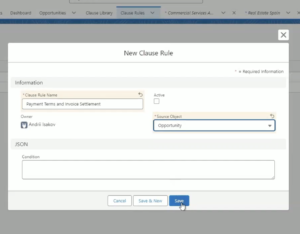
- Navigate to the Clause Rules tab.
- Click New.
- Enter a meaningful name.
Example: Payment Terms and Invoice Settlement - For the Source Object, select: Opportunity
Since agreements are created from Opportunity records, the rule will evaluate Opportunity fields and related records. - Save the record.
Configure Clause Rule Options #
- Before defining any conditions, create the available Clause Rule Options.
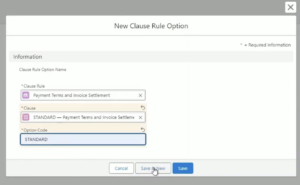
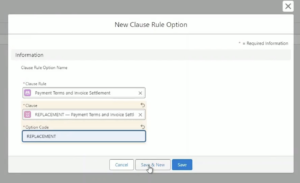
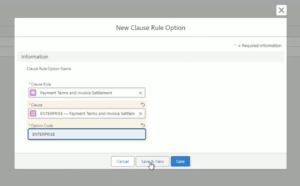
Each option links a Clause Library record to an option code.
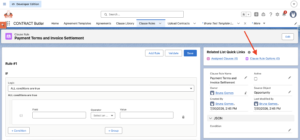
- Create one option for each possible result.
STANDARD for Standard Payment Terms and Invoice Settlement
REPLACEMENT for Replacement Payment Terms and Invoice Settlement
ENTERPRISE for Enterprise Payment Terms and Invoice Settlement
Important:
Every Option Code must be unique within the Clause Rule.
The Option Code is what the rule returns when a condition is matched.
Build the Rule Conditions #
- Click to create the first condition.
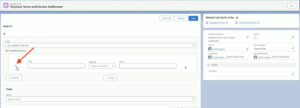
- Select Opporrunity Type for field.
- Inform “Equals” as the operator.
- Update Value to Existing Customer Upgrade
- Set the result to Replacement
Whenever the Opportunity Type is Existing Customer Upgrade, Contract Butler inserts the Replacement Payment Terms clause.
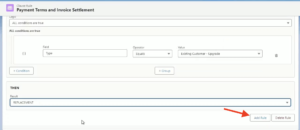
- Create another top-level rule.
- Select Opporrunity Amount for field.
- Inform “Greater Than” as the operator.
- Set the Value to 100,00
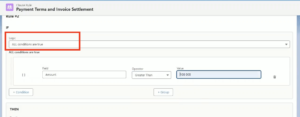
- Create a nested group where any of the following conditions can be true:
– Field: Account Industry, Operator: Equals, Value: Banking– Field: Account Annual Revenue, Operator: Greater Than, Value: 10,000,000
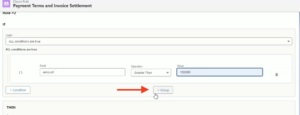
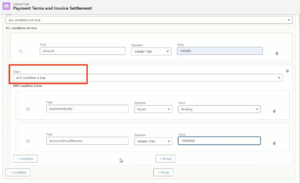
- Set the result to: Enterprise
If the Opportunity meets these requirements, the Enterprise Payment Terms clause will be used.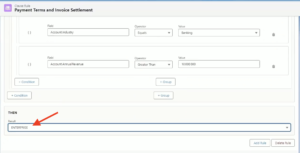
- Set the Default Result to: Standard
If none of the configured rules match, Contract Butler automatically inserts the Standard Payment Terms clause.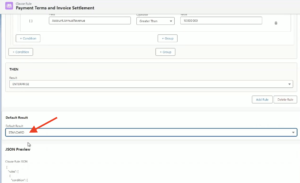
Validate the Rule #
Before saving, click Validate.
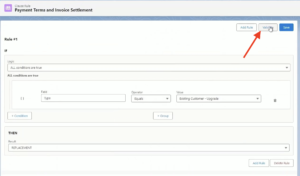
Contract Butler checks the configuration for:
- Missing values
- Invalid conditions
- Configuration errors
If validation succeeds, save the Clause Rule.
Activate the Clause Rule #
- Enable the Active checkbox.
Only Active Clause Rules can be assigned to Agreement Templates and evaluated during agreement generation.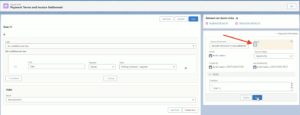
Assign the Rule to an Agreement Template #
- Return to your Agreement Template.
- Select the clause placeholder that should be dynamic.
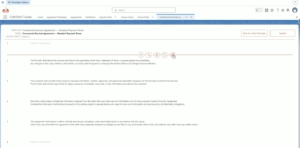
- Instead of selecting a fixed Clause Library record, assign the newly created Clause Rule.
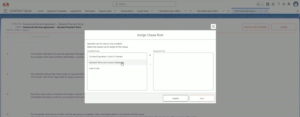
- From this point forward, Contract Butler will automatically determine which clause to insert.
Result of the Configuration #
- Open an Opportunity.
- Create a new Agreement using the Agreement Template.
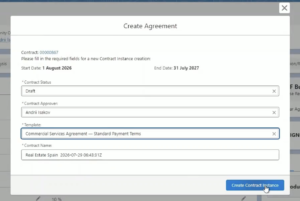
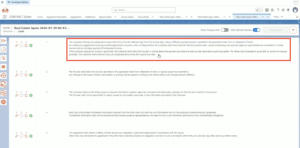
- During agreement creation, Contract Butler will processes the conditions from top to bottom, uses the first matching result and inserts the corresponding Clause Library record into the Agreement.
By using Clause Rules, you can maintain a single Agreement Template while dynamically selecting the correct clause based on Salesforce data. This simplifies template maintenance, reduces manual work, and ensures that the appropriate contractual language is automatically included for each business scenario.


