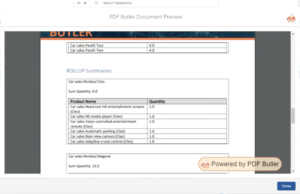
Using Roll-Up Summaries in PDF Butler #
Salesforce Roll-Up Summary fields are a powerful feature for aggregating data from related child records. However, they also come with some limitations:
- They require a Master-Detail relationship.
- There is a limit on the number of Roll-Up Summary fields that can be created.
- They must be maintained as part of your Salesforce data model.
- They may have a performance impact on your Salesforce org.
- They cannot always be used when relationships are based on lookups or more complex data structures.
PDF Butler provides an alternative by allowing you to create Roll-Up Summaries directly within your document configuration, without modifying your Salesforce schema.
Watch the video tutorial or review the related documentation to implementing this feature.
Setting Up #
This example uses the same nested Data Source configuration created in the Nested Data Sources tutorial.
- Load your existing DataSources to Doc Config in PDF Butler.
A parent table displaying Cars.
A nested table displaying the related Options.
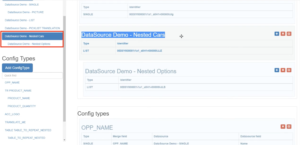
- In the parent Doc Config editor, click: Roll-Up Summary
Only child Data Sources of the current parent Data Source are available for selection.
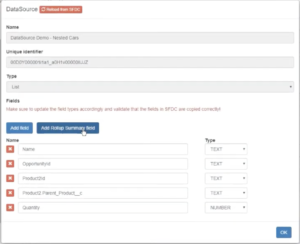
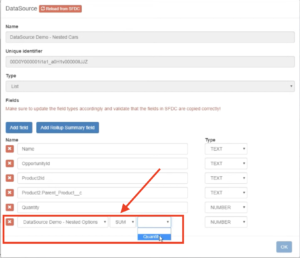
- Select the child Data Source you want to aggregate.
Example:Nested Options - Choose the type of calculation you want to perform.
For this example, select:Sum - Choose the numeric field that should be aggregated.
Example:Quantity
Text fields cannot be used in Roll-Up Summaries. - Once configured, save the Roll-Up Summary.
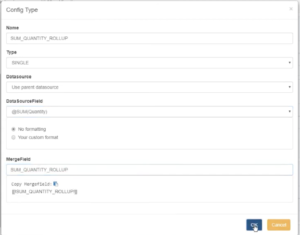
- Create a Config Type
- Select the Roll-Up Summary Field
- Save the Config Type.
- Generate the Document