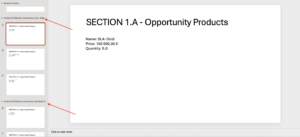
Learn how to generate Powerpoint files.
Using LINK ConfigType: #
Use a LINK ConfigType in Powerpoint on:
- Single mergefield
- In a Table Row
- On a Picture
Using SLIDE_REPEATER ConfigType: #
With the help of SLIDE_REPEATER configType, you can repeat a slide in PPTX file.
Example: #
Let’s say, you need to repeat information on a slide for every product of a quote record. Follow below steps to implement this.
Download the sample pptx template here.
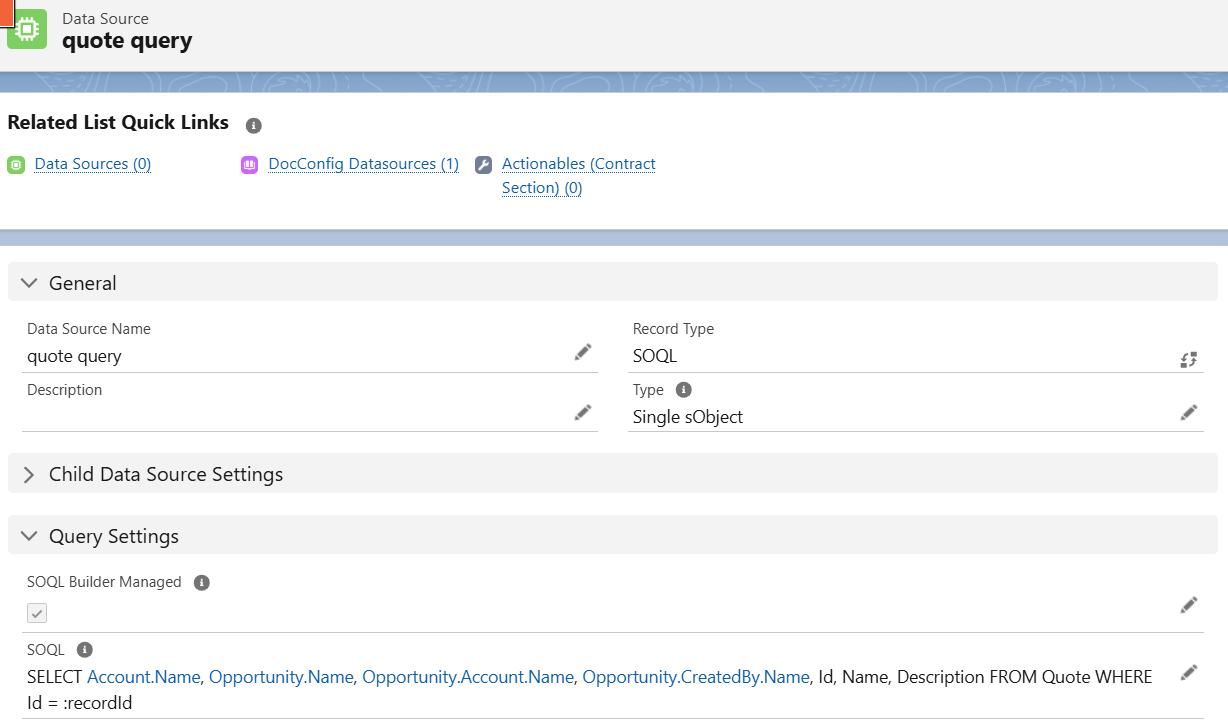
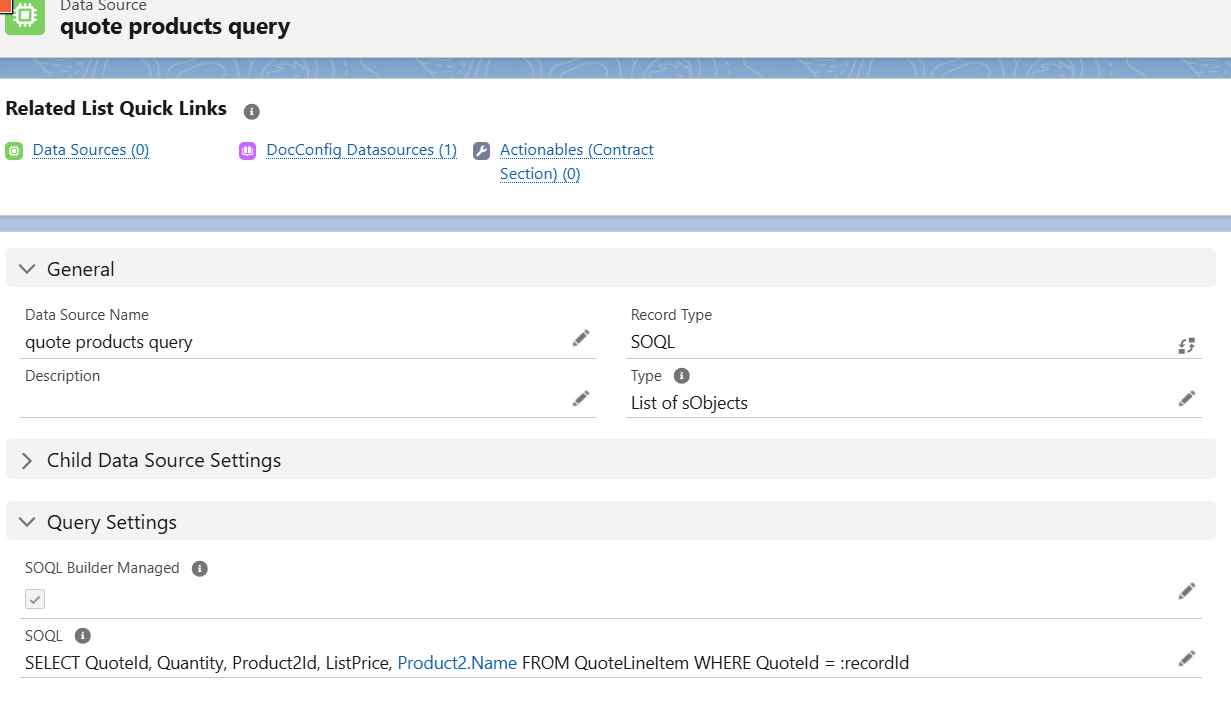
Create below DataSources to fetch the Quote, related Opportunity and related Account fields as shown below.
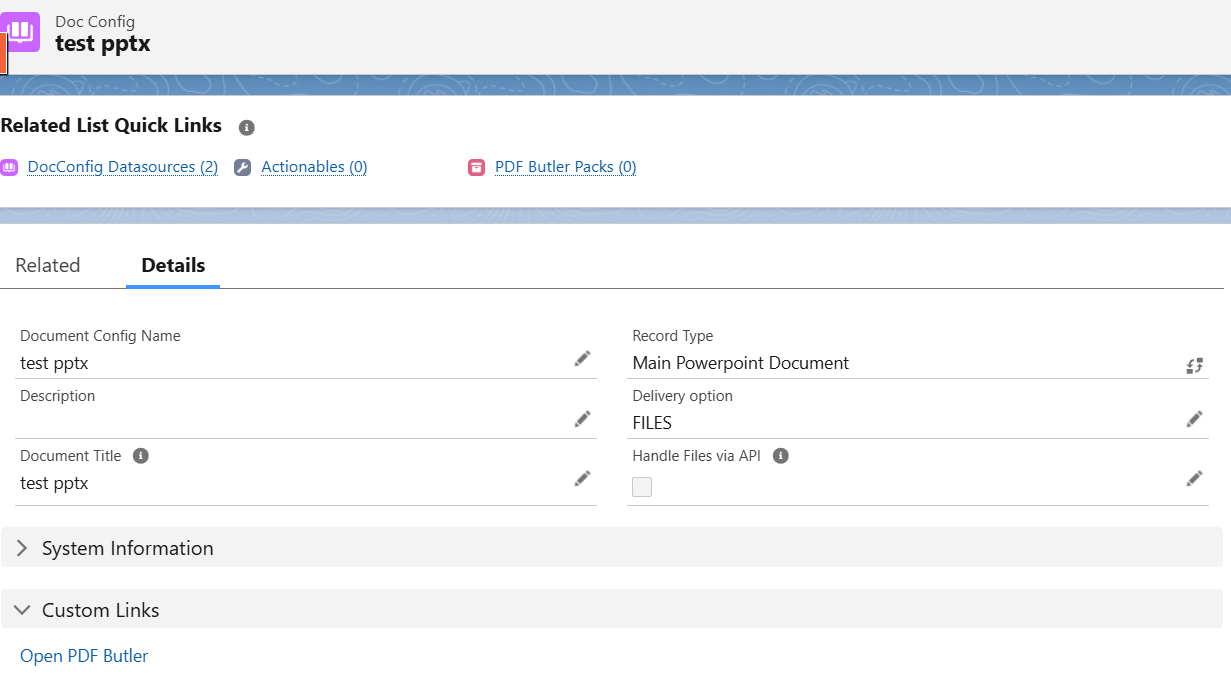
Create DocConfig of type Main Powerpoint Document.
Open PDF Butler and Create Config types as shown below for all the merge fields in sample PPTX template.
- Create Config type of type SLIDE_REPEATER for the ProductName merge field in PPTX Document, as we need to repeat that slide for every product of the Quote record.
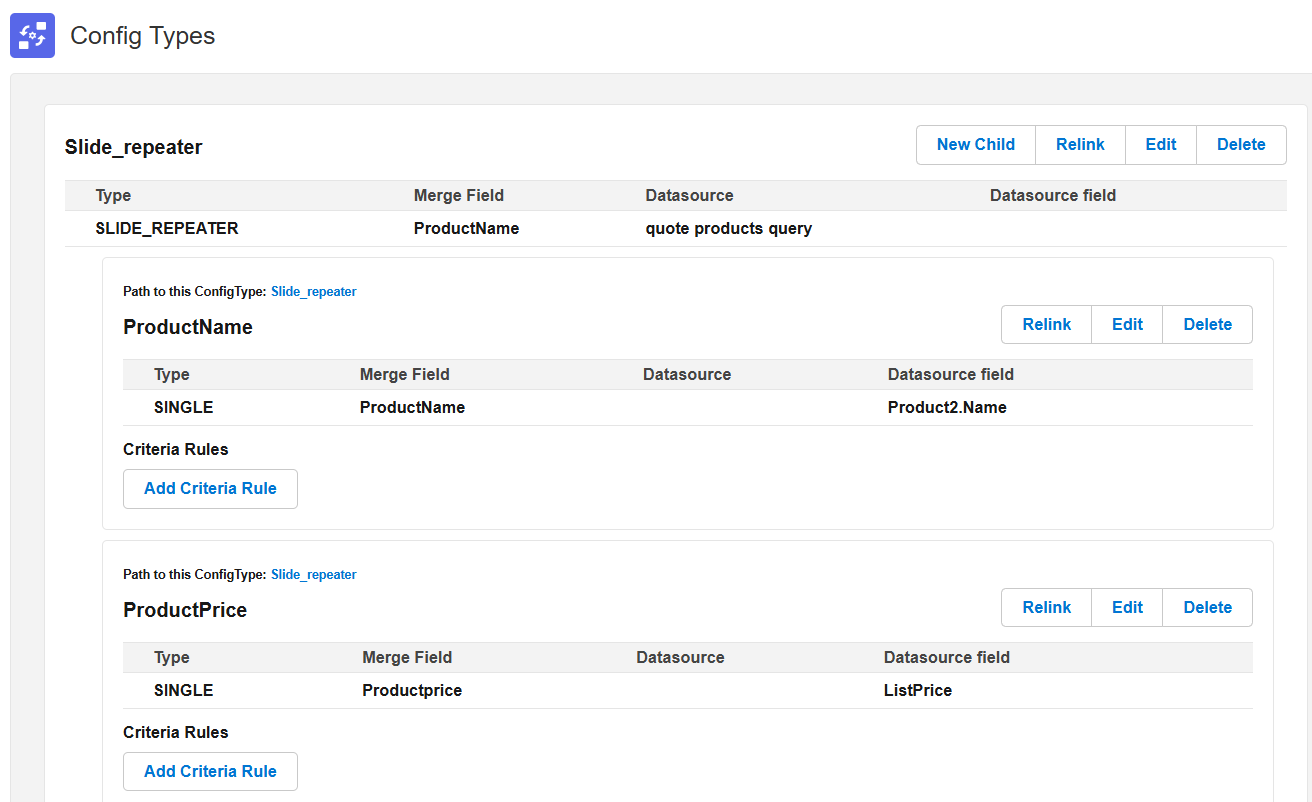
- Create Config types for remaining merge fields of your template.
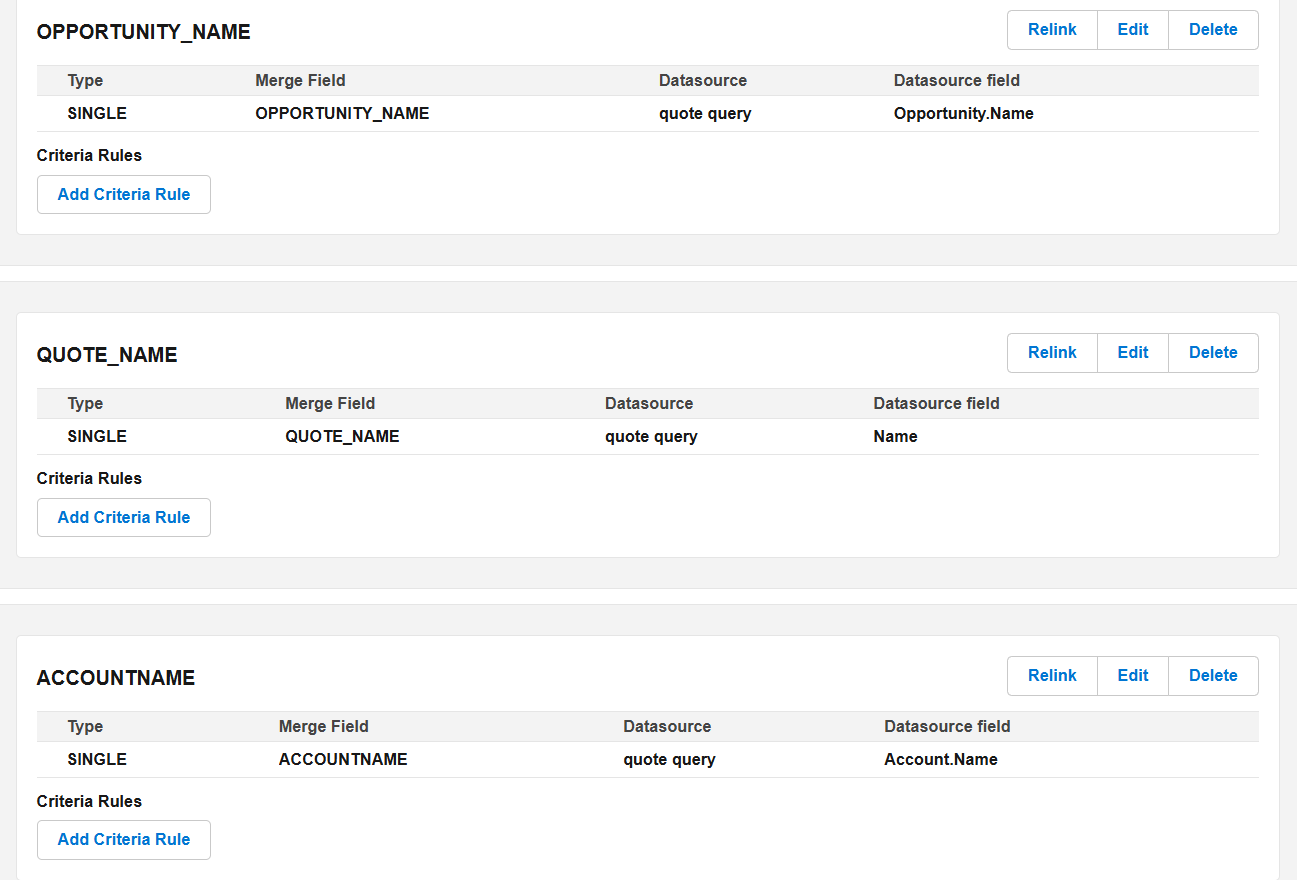
Now open any Quote record and edit the page, drag PDF Butler convert component onto the page. Add Doc Config to the Component and save the page. Then generate the PPTX document for the quote record. You can see that Product Information slide is repeated for every product on the Quote record.
Using SECTION_REPEATER ConfigType: #
With the help of SECTION_REPEATER configType, you can repeat a section in PPTX file.
Example: #
Let’s say, you have an Account record and want to show the opportunities of that account in one slide and opportunity products of every opportunity of that account in remaining slides. You can add a section for the Opportunity Products slide and in the generated document this slide will be repeated for every opportunity. Follow below steps to implement this.
Download the sample pptx template here.
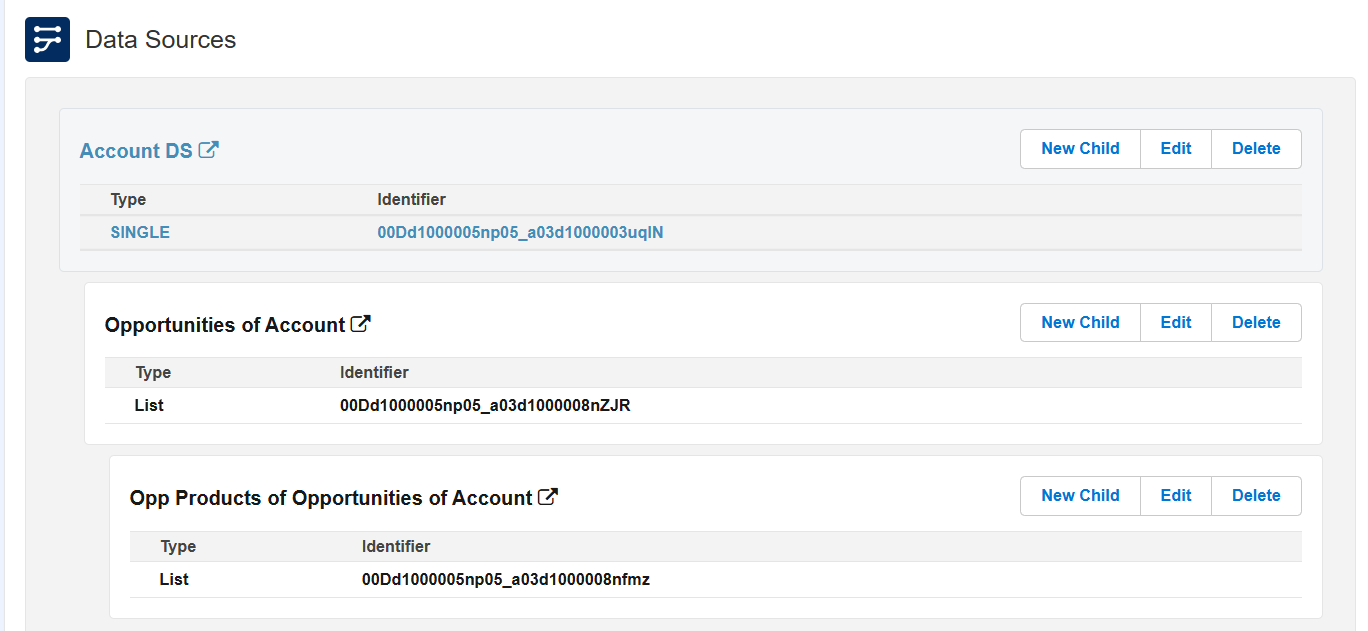
Create below DataSources to fetch the Account, related Opportunities and related Opportunity product fields as shown below.
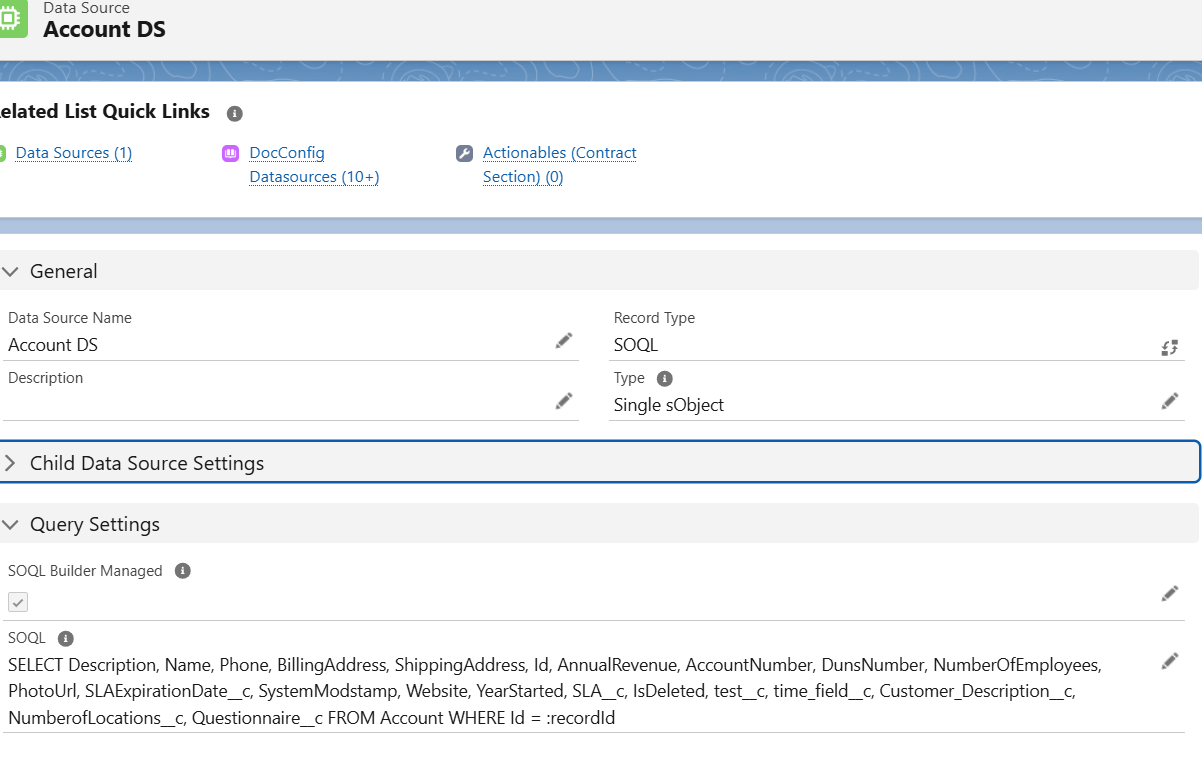
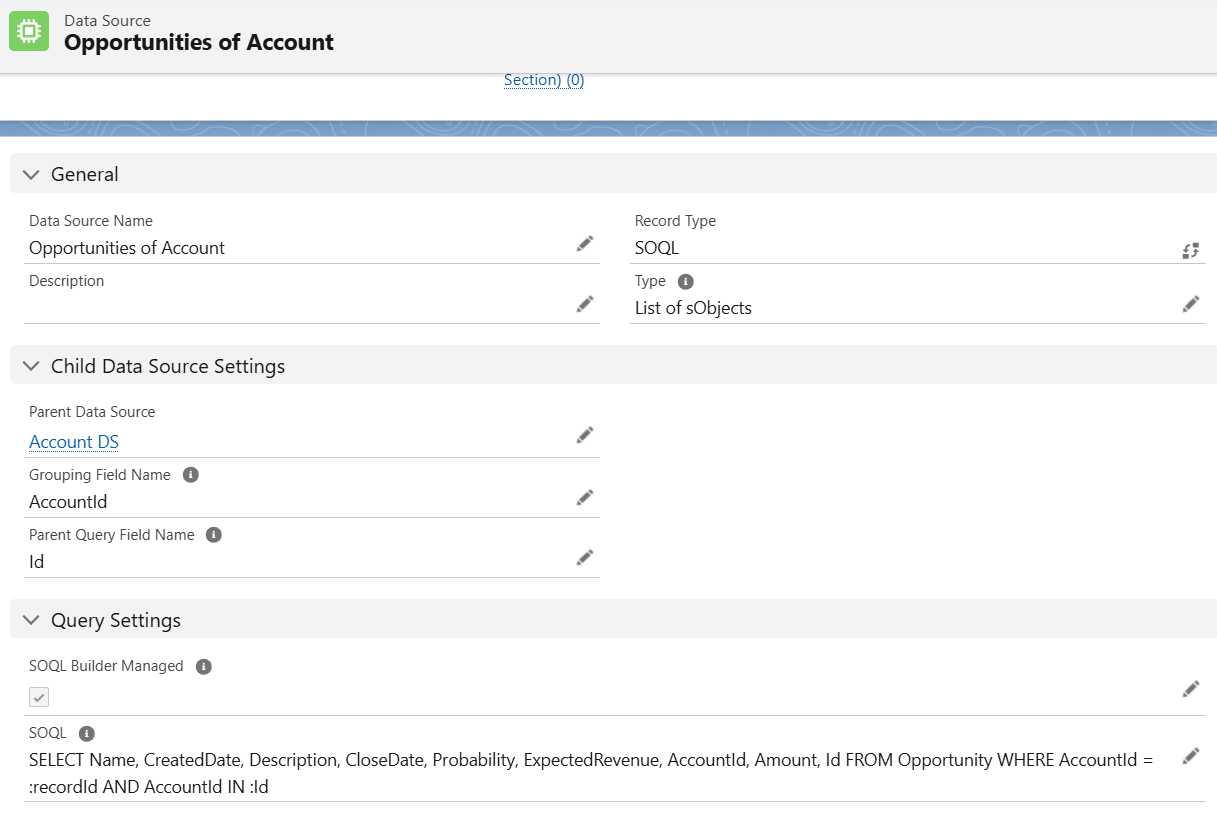
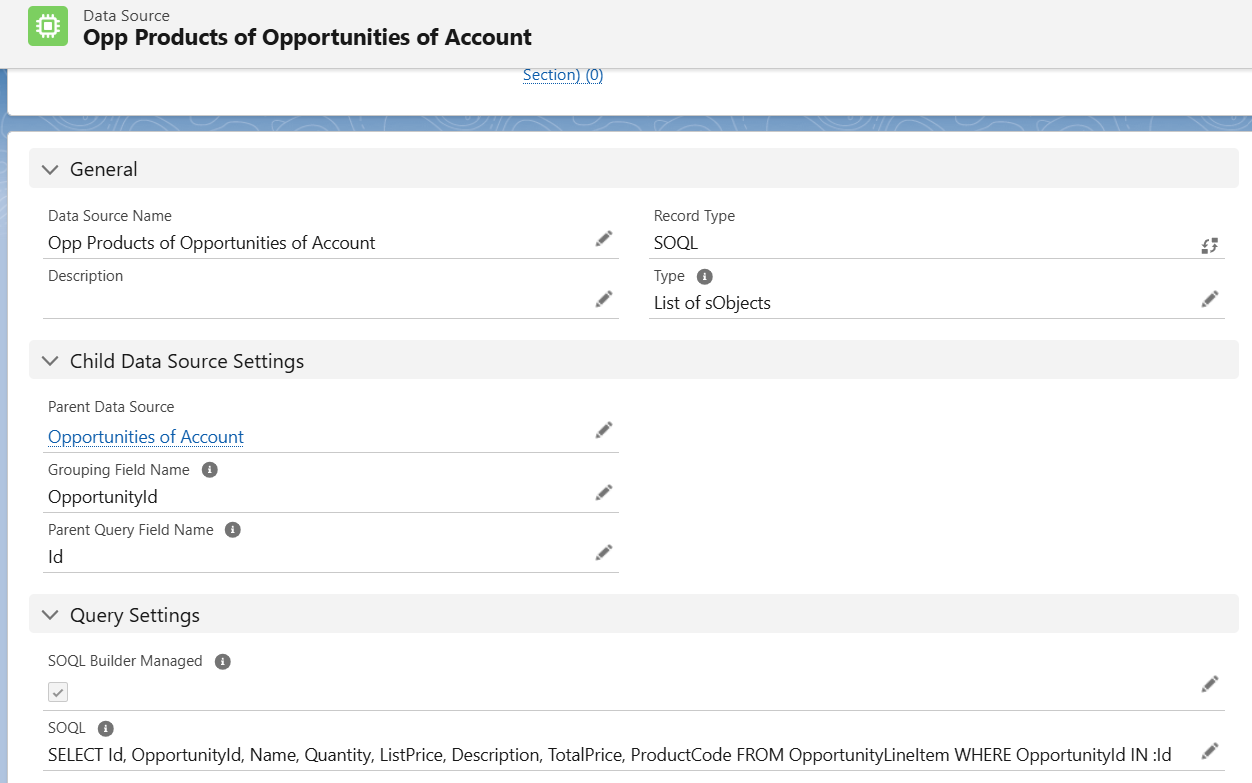
Create DocConfig of type Main Powerpoint Document. Open PDF Butler from Doc Config and load all the above data sources.
Create Config types as shown below for all the merge fields in sample PPTX template. For section repeater merge field, you need to create SECTION_REPEATER Config type. Under that, create Child config types for remaining merge fields in the Section repeater slide. 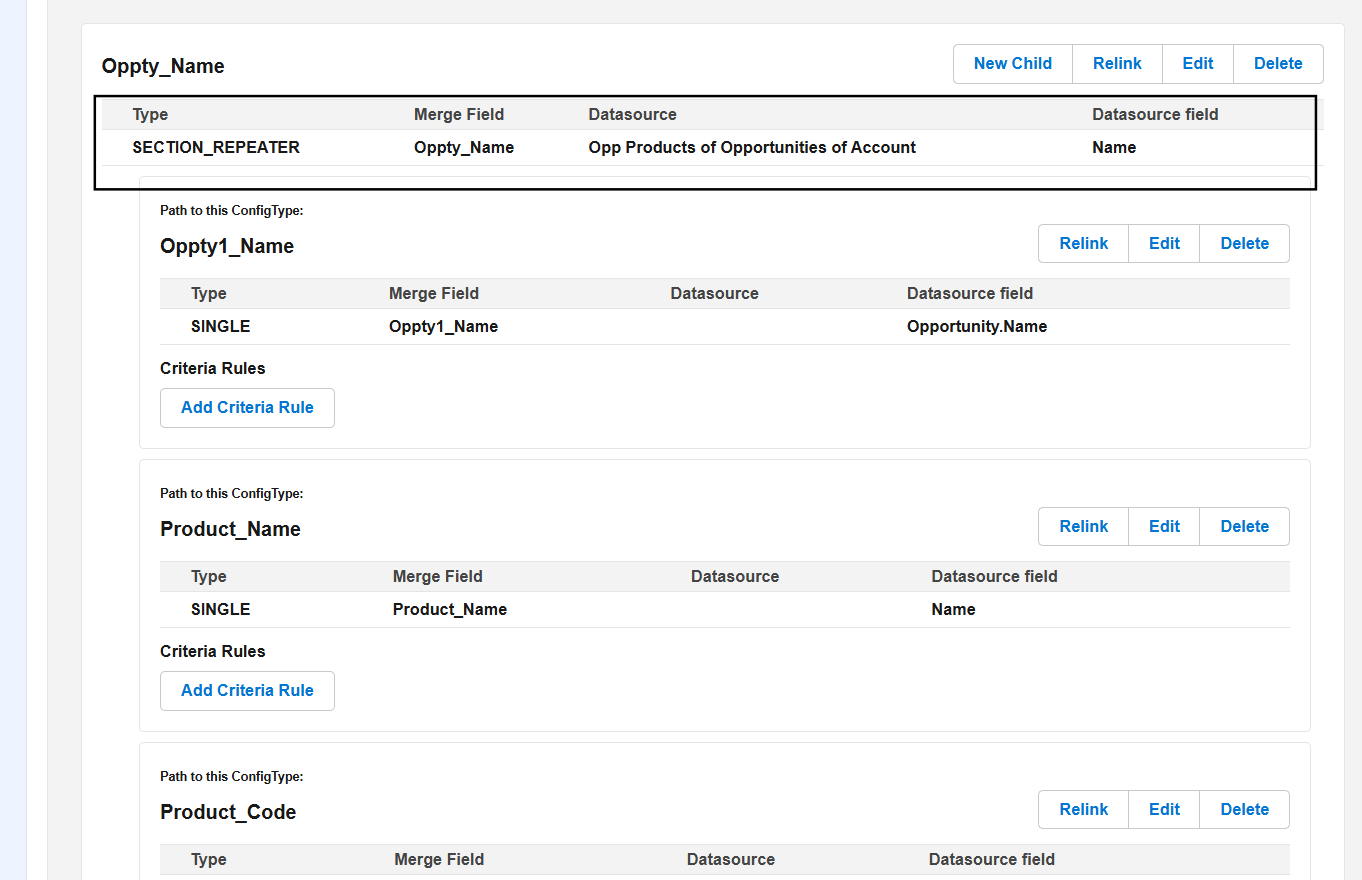
Open any Account record, edit the page and drag the PDF Butler Convert component. Add the Doc Config id to the component. Save the page and generate the pptx document.
Using a Slide Repeater Inside a Section Repeater #
This section explains how to combine SECTION_REPEATER and SLIDE_REPEATER Config Types to create nested repetitions in PowerPoint (PPTX) documents.
We recommend reviewing the individual guides for Slide Repeater and Section Repeater before following this article, as this guide builds upon those concepts.
PDF Butler allows you to create dynamic PowerPoint presentations by repeating both individual slides and groups of slides.
By combining a SECTION_REPEATER with a SLIDE_REPEATER, you can generate nested repeating content.
For example:
- Repeat a section for every Opportunity related to an Account.
- Within each repeated section, repeat a slide for every Opportunity Product belonging to that Opportunity.
This enables you to build highly dynamic presentations while keeping your PowerPoint template easy to maintain.
How it works #
- Create a new Doc Config of type: Main PowerPoint Document
- Load all required Data Sources into the Doc Config.
- Design Your PowerPoint Template
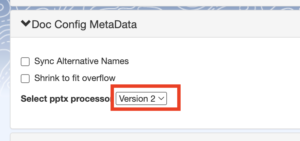
- Go to Doc Config MetaData and make sure that “Version 2” is selected
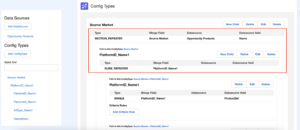
- Configure the Section Repeater: Create a Config Type for the merge field that represents the Opportunity section.
This Config Type controls the repetition of the entire section. - Create Child SLIDE_REPEATER Config Type Under the SECTION_REPEATER, .
Examples: Opportunity Name, Stage, Close Date, Amount
- Generate the PowerPoint document using the configured Doc Config.